
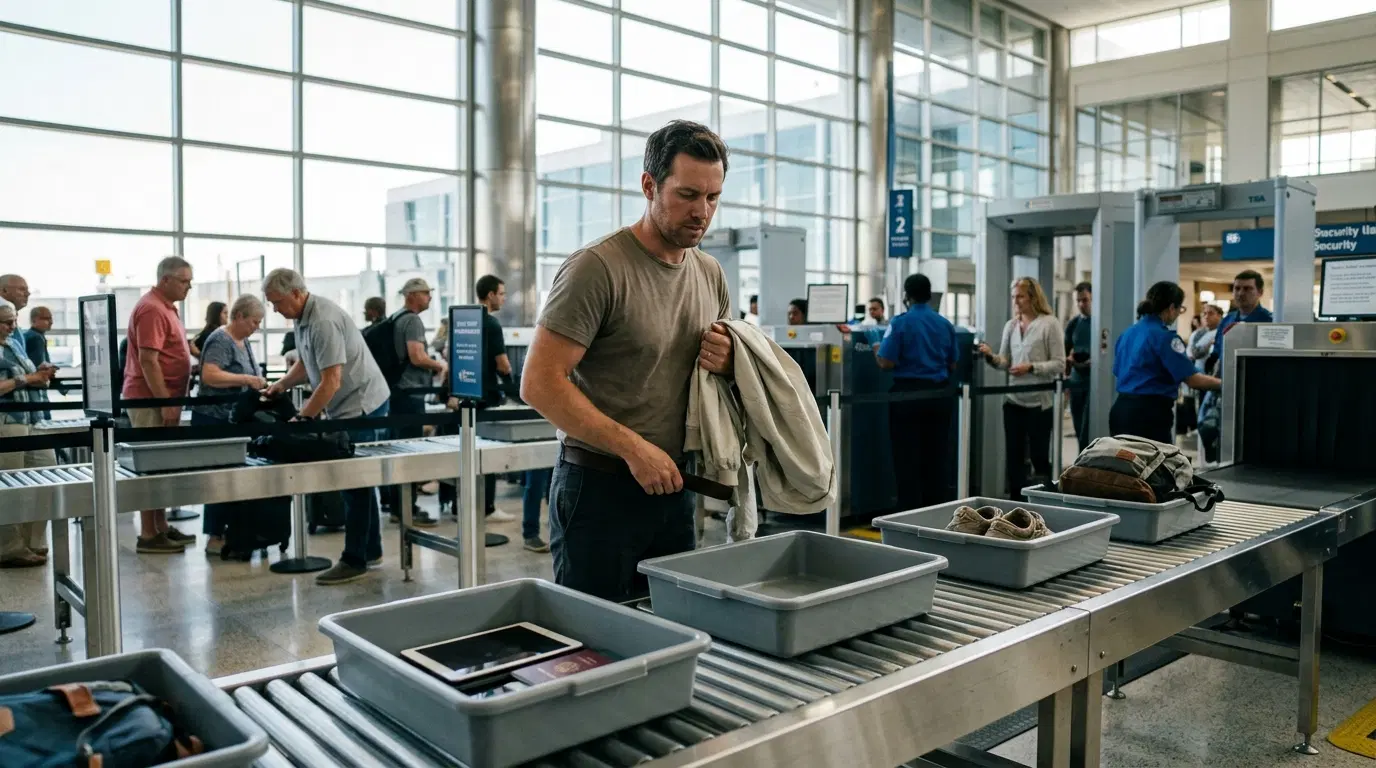
Airport screening in the US has changed more in the past year or so than it did in the decade before. Shoes mostly stay on now. Some lanes want your laptop in a bin, while the lane next to it lets you leave everything zipped up. So if you're unsure what to take out at airport security, you're not alone, and the honest answer is that it depends on which lane you're in and what kind of scanner is in front of you.
This guide covers what still comes out at a standard TSA checkpoint, what you can usually leave alone, how TSA PreCheck and newer CT scanners change the routine, and a few packing habits that keep the line moving.
What to Take Out at Airport Security in a Standard TSA Lane
A standard lane is the regular line most travelers use, without PreCheck and often with older X-ray equipment. This is where the most items come out, so it's the version worth preparing for even if you hope to get a faster lane.
Your 3-1-1 Liquids Bag
TSA's liquids rule hasn't changed. Each container in your carry-on must be 3.4 ounces (100 milliliters) or less, and all of them have to fit in one clear, quart-size, zip-top bag. Each passenger gets one bag.
In a standard lane, that bag comes out and goes into a bin by itself. Keep in mind that "liquid" covers more than drinks. Gels, creams, pastes, and aerosols count too, which catches people with toothpaste, sunscreen, hand sanitizer, peanut butter, yogurt, and dips. Pack the bag in an outside pocket or right on top so you're not digging for it at the belt.
Laptops and Electronics Larger Than a Phone
Laptops, tablets, e-readers, and handheld game consoles come out of your carry-on and go into a bin with nothing stacked on or under them. That clear view is the whole point, so don't toss your jacket on top of your laptop.
Your phone doesn't need its own bin, but it does need to leave your pocket. Power banks and spare lithium batteries belong in your carry-on, not your checked bag, so make sure they're with you and easy to reach if an officer asks to see them.
Belts, Jackets, and Bulky Jewelry
Belts come off in a standard lane, along with coats, blazers, and heavier outer layers. Large or chunky jewelry should come off as well. If you're wearing something valuable, slip it into a zipped pocket of your carry-on instead of leaving it loose in a bin.
Everything in Your Pockets
Keys, coins, wallet, phone, lip balm, earbuds, a crumpled receipt: all of it goes in a bin or your bag. Even small metal objects can set off the walk-through detector, and an alarm usually means a pat-down. The easiest move is to empty your pockets into your jacket or carry-on while you're still standing in line.
What You Usually Don't Have to Remove Anymore
The biggest change for regular travelers is footwear. In July 2025, TSA dropped the requirement to remove shoes at standard checkpoints, so most people now walk through with their shoes on. That said, an officer can still ask you to take them off, particularly if your shoes set off an alarm. Heavy boots or shoes with a lot of metal are the usual culprits, so if you have a choice, wear something simple on travel day.
You also don't need to unpack clothing, toiletries in solid form (bar soap, solid deodorant, stick sunscreen), pills, or most solid food. These can stay in your bag unless an officer tells you otherwise.
Items That May Need Extra Screening
Some things are allowed but get handled differently, and knowing them ahead of time saves a lot of back-and-forth at the belt.
Medications and Medical Liquids
Medically necessary liquids, gels, and aerosols can exceed 3.4 ounces in reasonable quantities. Take them out of your bag and tell the officer you have them so they can be screened separately. If you use a medical device such as an insulin pump or wear a prosthetic, mention it before screening starts. You won't be asked to remove it, but the officer may screen it another way.
Baby Formula, Breast Milk, and Kids' Food
Formula, breast milk, and baby food are also allowed in larger-than-normal amounts. Separate them from the rest of your carry-on and let the officer know at the start. Parents juggling a stroller, a car seat, and a toddler will find this step goes far more smoothly when everything is already sorted into one easy-to-reach bag.
Powders and Packed Food
Powder-like items over 12 ounces (about 350 milliliters), such as protein powder, coffee, or spices, may need to go in a separate bin. Officers may also ask you to pull food out of a crowded bag if it blocks their view of what's inside. A bag that's packed in neat layers rarely gets that request.
How TSA PreCheck and CT Scanners Change the Routine
TSA carry-on rules don't change from lane to lane, but the handling does. Two things make the biggest difference.
TSA PreCheck
In PreCheck lanes, you can generally keep your shoes, belt, and light jacket on, and your laptop and 3-1-1 bag stay in your carry-on. You still need to clear your pockets, and the 3.4-ounce limit still applies. PreCheck changes what you remove, not what you're allowed to bring.
Lanes With CT Scanners
Many airports now use computed tomography (CT) scanners, which look like larger, enclosed tunnels compared with older X-ray machines. Because these scanners create a 3D image of your bag, travelers in those lanes can often leave laptops and compliant liquids inside.
The catch is that equipment varies from airport to airport and sometimes from one lane to the next in the same terminal. A quick way to read the checkpoint: look at the signs and watch the people ahead of you. If laptops and liquids bags are going into bins, pull yours out too. When in doubt, follow what the officer says.
Flying Out of an Airport Outside the US
If you're departing from another country, don't assume US rules apply. Many airports abroad still ask passengers to remove liquids and larger electronics, and some still ask for shoes. The 100-milliliter liquid limit is common in many countries, though local procedures differ. Packing as if you'll need to remove everything is the safest approach when you're unsure.
How to Pack So Security Takes Minutes, Not a Meltdown
Most delays at the belt come down to how a bag is packed rather than what's in it. A few habits help:
-
Keep your liquids bag and laptop in the same easy-access spot every trip so you never have to think about it.
-
Pack in layers, with electronics near the top and soft clothing underneath.
-
Wear shoes you can slip off quickly, just in case, and skip the oversized belt buckle.
-
Have your ID ready. Since May 2025, a REAL ID-compliant license or another accepted ID, such as a passport, is required for domestic flights.
-
Keep pockets nearly empty from the moment you leave home.
Security is only one part of getting out the door prepared. For everything else to sort out before you leave, from documents to check-in to baggage limits, run through our airport travel checklist.
Arrive Calm: Why the Ride to the Airport Shapes Your Security Experience
Here's something most security guides skip: the way you get to the airport affects how smoothly you get through the checkpoint. Travelers who show up rushed are the ones who forget the laptop in the bag, leave keys in a pocket, and end up with a bag pulled for a second look. When you're watching the clock, small mistakes pile up.
Driving yourself adds parking, shuttle waits, and the long walk from the lot. Rideshare can work, but wait times and availability aren't always predictable, especially for early-morning flights. Public transit with a suitcase, a carry-on, and possibly a couple of kids is its own challenge.
A pre-booked private airport transfer removes most of that uncertainty. You know when the car is coming, the driver takes you straight to your terminal, and there's space for your luggage, strollers, or extra bags. That calm stretch of time is also a good moment to get checkpoint-ready: move your liquids bag to the top, put your laptop where you can grab it, and empty your pockets into your carry-on before you even reach the curb. With Transpovia, you can book a private car to the airport ahead of time, which is especially helpful for families, groups, and anyone who would rather spend the trip preparing than navigating.
This matters even more if it's your first time at the airport, when everything from check-in to the security line feels new. Our guide for your first time at the airport walks through the whole process, from the curb to the gate.
Frequently Asked Questions
Do I have to take my shoes off at TSA security?
In most cases, no. TSA ended its shoes-off requirement at standard US checkpoints in July 2025. An officer can still ask you to remove them if they set off an alarm or need a closer look, and airports outside the US may have different rules.
Do I need to take my laptop out at airport security?
In a standard lane with older X-ray equipment, yes. Laptops, tablets, and other electronics larger than a phone go in their own bin. In TSA PreCheck lanes and lanes with CT scanners, you can usually leave your laptop in your bag. Follow the signs and the officer's instructions at your checkpoint.
Can I leave my liquids in my bag with TSA PreCheck?
Yes. PreCheck travelers can generally keep their 3-1-1 bag inside their carry-on. The containers still need to be 3.4 ounces or less and fit in a single quart-size bag, so pack the same way you would for any other lane.
Conclusion
Knowing what to take out at airport security now comes down to reading your lane. In a standard lane, plan to remove your liquids bag, laptop and larger electronics, belt, jacket, bulky jewelry, and everything in your pockets. Your shoes can usually stay on. PreCheck and CT scanner lanes let you keep more packed, but the liquid limits don't change.
Pack with the checkpoint in mind, keep your ID handy, and give yourself a relaxed trip to the terminal. When you arrive with time to spare and your bag already organized, security becomes a quick stop instead of the most stressful part of the day.
"We used to sprint through the terminal with the kids and our bags half open. Now we book a car ahead of time, sort everything on the ride over, and walk into security like we've done it a hundred times."


