
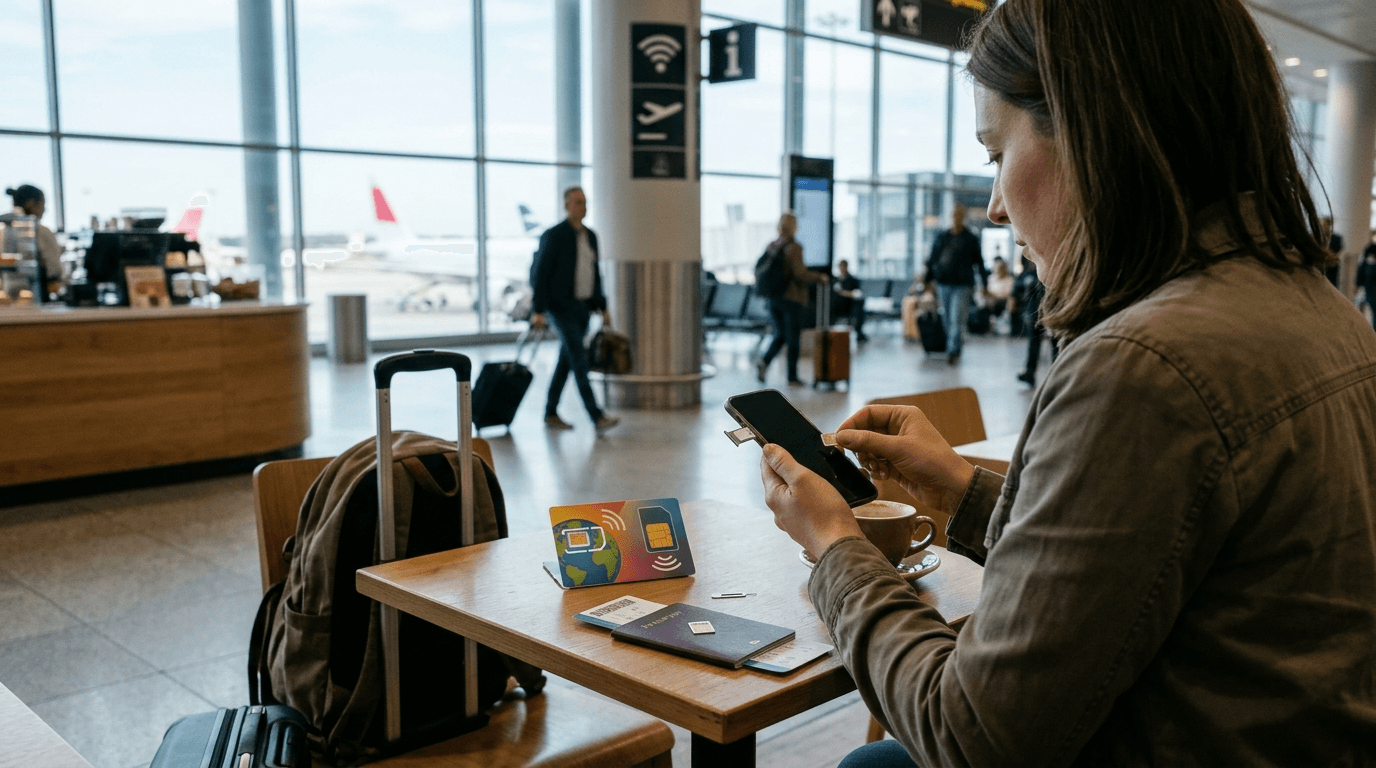
You land in a new country, your phone buzzes with a welcome text, and one worry shows up right away. Is this going to cost me money? That worry is exactly why many travelers search for what is data roaming before a trip. In short, data roaming lets your phone use mobile internet on a foreign network when you travel. It works well. It can also lead to a very large bill if you do not prepare.
This guide explains how roaming works, what it costs, when to turn it on or off, and the simplest ways to stay online abroad. For most trips, an eSIM instead of roaming gives you a fixed price and no bill shock. We cover how that works further down.
What Data Roaming Means
Data roaming is the use of mobile internet on a network that does not belong to your own carrier. That usually happens when you travel to another country. Your home carrier signs agreements with carriers abroad, and those agreements let your phone connect to a local network even though you are not a customer there.
Your phone handles most of the work. When you switch it on in a new country, it searches for partner networks, picks one, and registers. Many carriers then send a text message that lists the rules and prices for that country. Most people delete it without reading. Take thirty seconds to read it, because it tells you what the carrier plans to charge.
Roaming covers three services. Those are calls, text messages, and mobile data. This article focuses on data, because data causes the biggest bills. One map search, one video call, or one photo backup can use more data than a full day of texting.
A domestic version also exists. Some phones jump onto another carrier inside your own country when your carrier has weak coverage in a rural area. Most travelers only need to worry about the international kind.
How Data Roaming Works Behind the Scenes
Your SIM card carries an identity that your home carrier recognizes. When you connect to a foreign network, that network asks your home carrier to confirm your SIM is valid and your plan allows roaming. Once your carrier says yes, the foreign network lets you browse, stream, and message.
The foreign network keeps a record of what you use and sends that record to your home carrier. Your carrier then passes the cost to you. The price depends on the deal between the two companies and on how your carrier packages roaming for customers. That is why two people in the same airport can pay very different amounts for the same email.
You will not notice any of this in daily use. Apps open, maps load, and messages send. The only visible sign is a different network name at the top of your screen and, sometimes, a small "R" or the word "Roaming" in the status bar.
Data Roaming vs Mobile Data vs Wi-Fi
People mix up these three terms all the time, and the mix-up costs money.
Mobile data is the internet connection your phone gets through your own carrier's network at home. It draws on your monthly allowance or your prepaid balance.
Data roaming is the same type of connection on a foreign network, billed under roaming rules. Even if you have unlimited data at home, that allowance may not apply abroad.
Wi-Fi is a separate connection that runs through a router in a hotel, cafe, airport, or home. Wi-Fi does not use your carrier's network. It never creates roaming fees. It does carry a different risk. Public networks in airports and cafes are shared with strangers. Avoid banking logins and password changes on them.
A simple habit helps here. When you see the Wi-Fi symbol at the top of your screen, your phone is using Wi-Fi. When you see 4G, LTE, or 5G with no Wi-Fi symbol, your phone is using your carrier's network, and abroad that means roaming.
How Much Do Roaming Fees Abroad Cost?
Roaming fees abroad vary by carrier, plan, and country. No single price fits everyone. What you can know is how carriers usually charge.
Some carriers bill by the megabyte. That sounds small. Photos, maps, and video burn through megabytes fast. Others sell a daily pass that gives you your normal plan abroad for a flat fee on each day you use data. Some sell a monthly international bundle in advance. A few include certain countries in your plan at no extra cost. Some US plans, for example, cover Canada and Mexico, and the details differ by carrier.
Europe has its own rules. Since June 2017, travelers in the European Union can use their home plan in other member countries at no extra roaming charge. Fair use limits apply, and carriers can add fees if you spend more time abroad than at home or use far more data than normal. The United Kingdom left the EU in 2020, and carriers now decide for themselves if they offer free roaming there. Do not assume a free zone covers every country on your route.
Overage creates another trap. If your plan has a data cap, roaming can eat through it quickly, and extra charges begin after that. Background activity makes things worse. Photo backups, app updates, and email checks keep running while you sleep, and your phone does not know the difference between a cheap network and an expensive one.
The charge also arrives late. You often see the bill weeks after the trip, when nothing can be changed. That delay is why a quick plan check before departure matters more than any clever fix after landing.
Data Roaming On or Off While You Travel
There is no single right answer. A simple rule helps. Keep data roaming off unless you know your plan covers the country you are visiting or you bought a roaming pass.
Leave it off in these cases.
-
You have no international plan or pass.
-
You are not sure what your carrier charges.
-
You plan to rely on Wi-Fi for the whole trip.
-
You carry a travel eSIM and want your home line to stay quiet.
Turn it on in these cases.
-
Your plan includes the country you are visiting.
-
You bought a daily pass or international bundle and want to use it.
-
You need an emergency connection and accept the cost.
-
A travel eSIM provider tells you the eSIM line needs roaming enabled.
That last point confuses many people. Some travel eSIMs work through a partner network. The setting for the eSIM line may need to stay on. Your home line should still stay off. Open the cellular settings, find both lines, and check which one is set for mobile data. A common mistake is leaving roaming on for the wrong line.
Turning roaming off does not stop every charge. Calls and text messages can still cost money abroad, and voicemail can too. Roaming off only blocks mobile data on a foreign network. Wi-Fi keeps working in either case.
How to Turn Data Roaming On or Off
Menu names change by phone and software version. The path looks similar everywhere.
On an iPhone
Open Settings and tap Cellular or Mobile Data. If you use more than one line, pick the line you want to change. Open Cellular Data Options, then switch Data Roaming on or off. While you are there, scroll to the roaming usage counter, which shows how much data you used on foreign networks in the current period. Reset the counter before a trip and you will see exactly what the trip used.
On an Android Phone
Open Settings, then tap Network and Internet or Connections, depending on the brand. Choose SIMs or Mobile Networks, pick your line, and switch Roaming or Data Roaming on or off. Samsung, Google, Xiaomi, and other makers label things a little differently. Use the search bar in Settings and type "roaming" if you cannot find it.
Make this change at home, before you go. Do not wait for the airport Wi-Fi to fail. A phone with roaming already off cannot surprise you when it wakes up in a new country.
How to Avoid Roaming Charges Abroad
You do not need a technical background to avoid a large bill. Most savings start with a few habits.
Check Your Plan Before You Fly
Call your carrier or open its app and ask three direct questions. Does my plan cover roaming in this country? What does it cost per day or per megabyte? How do I buy a pass? Write the answers down. If your carrier offers a pass, buy it before you leave, because some carriers need the phone to be on a home network when you activate it.
Use Airplane Mode With Wi-Fi
Airplane mode blocks calls, texts, and mobile data. Turn Wi-Fi back on after you enable airplane mode, and your phone connects to hotel or cafe networks without touching a carrier. This is the lowest-cost way to travel for a short trip, and it removes the risk of a hidden background charge.
Prepare Offline Before You Leave
Download maps for the cities you visit. Save your boarding passes, hotel confirmations, and booking details to your phone. Download offline maps, travel documents, language packs, and essential travel information over home Wi-Fi. When your phone does not need the internet, it cannot run up a bill.
Switch Off Background Data
Stop apps that refresh in the background. Turn off automatic app updates, photo backups, and video autoplay. Check the apps that use the most data at home, because those will do the same abroad. Social media and cloud storage apps often lead the list.
Watch Calls, Texts, and Voicemail
Messaging apps that run over Wi-Fi replace most calls and texts. Voicemail can still cost money when you listen to it abroad. Ask your carrier how to handle it. Tell friends and family which app to use when you are away.
Set Usage Alerts
Your phone and carrier app both track usage. Set an alert for a small number, then check it daily on the first trip. If the number jumps, switch roaming off and look at which app caused it.
eSIM vs Roaming for Travelers
An eSIM is a digital SIM built into the phone. Instead of putting a plastic card into a tray, you scan a code or tap an install button and add a data plan. Travel eSIM plans usually cover one country, a region, or several countries, and you pay a set price before you go.
The comparison with roaming is simple. Roaming uses your home plan at whatever price your carrier sets. An eSIM uses a local or regional plan at a price you see before you buy. Most travelers find the second option easier to plan.
What an eSIM Does Well
It keeps your regular number active. Your physical SIM stays in the phone for calls and texts, and the eSIM handles data. You can install the plan at home, test it, and switch it on when you land. You do not need to find a shop, show a passport, or swap a card in a crowded terminal.
Where Roaming and Local SIMs Still Fit
Roaming still makes sense for short trips to countries your plan already covers, and it takes no setup. A local SIM can work well for long stays, because some countries sell cheap monthly plans in stores. The trade off is time. You need to find a shop, and your phone must be unlocked.
What to Check Before You Choose an eSIM
Your phone must support eSIM and must be unlocked by your carrier. Check the plan size, the countries it covers, and how long it lasts after activation. Look at the support options too, because help matters most when you land at midnight. If you need a fixed price for a trip with several stops, a regional plan often fits better than buying a new plan in each country.
Staying Connected When You Land at the Airport
The first thirty minutes after landing decide how smooth the rest of the day feels. You may need to open a booking, message a driver, check a gate change, or let someone at home know you arrived. All of that needs data, and airport Wi-Fi is often slow, crowded, or hard to log into.
We landed late and my phone had no signal at all. Once the data came on, I could see our driver's message and we were in the car in minutes.
This is where a plan made in advance pays off. Activate your eSIM before takeoff or switch on your pass, check that the right line is set for mobile data, and keep roaming off on any line you do not plan to use.
If you book an airport transfer, keep your confirmation somewhere you can open without a connection. Screenshots work. A saved email works. Transpovia is a ground transportation marketplace where travelers book airport transfers and private rides, and having your booking details ready makes the first meeting with your driver much easier. A working data connection helps with the rest, including a new meeting point or a delay report.
FAQs
What is data roaming in simple terms?
Data roaming means your phone uses mobile internet on a network outside your home carrier's area, usually in another country. Your carrier pays the foreign network and charges you under its own roaming rules.
Does turning off data roaming stop all charges?
No. It stops mobile data on foreign networks, which is the biggest risk. Calls, text messages, and voicemail can still create charges abroad, depending on your plan. Wi-Fi stays free of roaming fees.
Can I use Wi-Fi with data roaming turned off?
Yes. Wi-Fi works with roaming on or off, and it does not touch your carrier's network. Messaging apps, maps, and video calls all work over Wi-Fi.
Is data roaming free in Europe?
For travelers in the European Union, home plans can generally be used in other member countries at no extra roaming charge, with fair use limits. Rules outside the EU differ. Check your carrier before you cross a border.
Do I need data roaming on to use a travel eSIM?
Often yes for the eSIM line, because many travel eSIMs connect through partner networks. Keep roaming off on your home line. Follow the setup steps your eSIM provider gives you and confirm which line handles mobile data.
Plan Your Connection Before You Land
Data roaming is simple in idea and expensive in practice. Your phone uses a foreign network, your carrier passes on the cost, and the bill arrives after the trip. A few steps remove most of the risk. Check your plan, turn roaming off if it is not covered, download what you need ahead of time, and choose a fixed price option for longer trips.
Set up your connection at home, then focus on the trip. When your flight lands, a booked airport transfer through Transpovia can take care of the ride while your phone takes care of the rest.


