
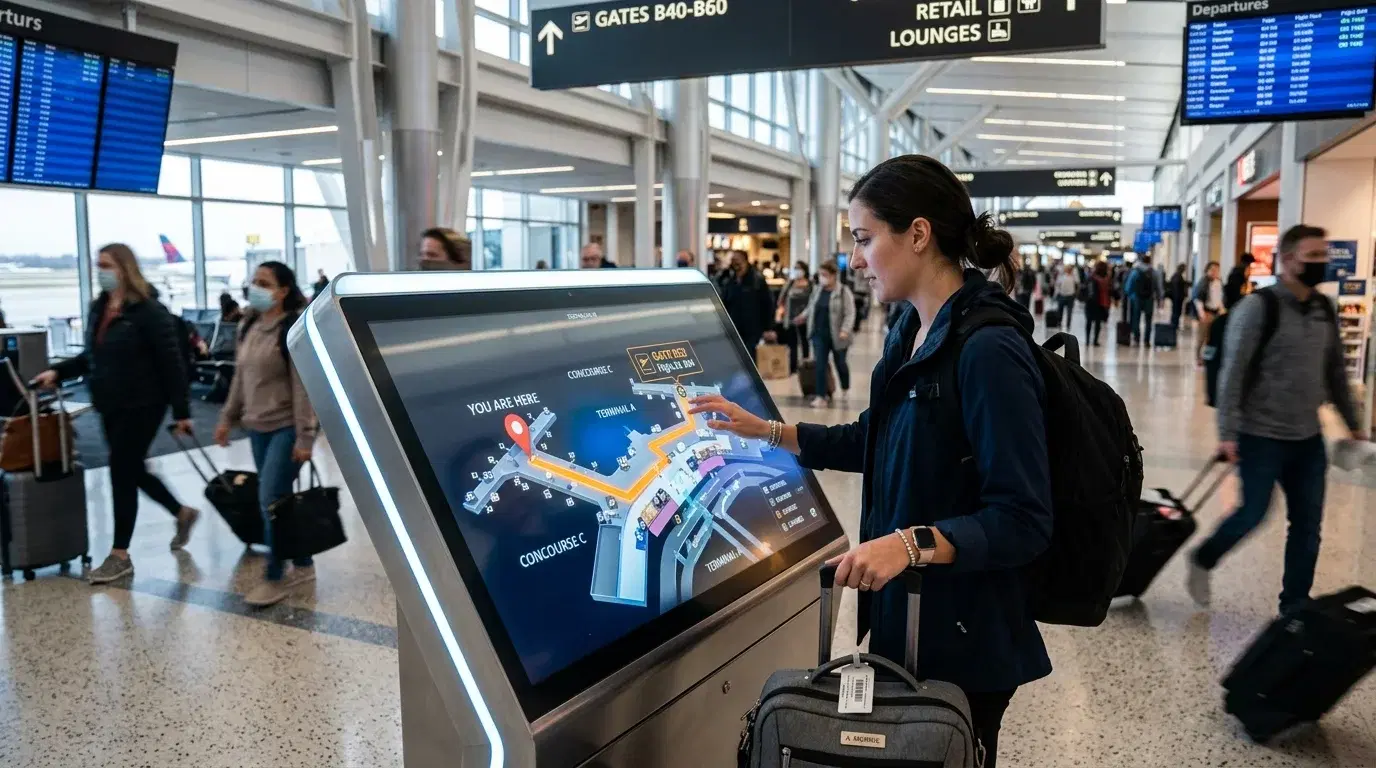
How to navigate an airport comes down to reading a handful of signals correctly: overhead signage, gate range indicators, and whichever train or shuttle system connects distant terminals. Large hub airports can span multiple buildings linked only by an underground train, while smaller airports fit the entire journey from check-in to gate into a single walkable concourse. Knowing which type of airport is ahead, and how its wayfinding system actually works, prevents the backtracking that eats into a departure window.
Reading Airport Signage as You Move Through the Terminal
Airport signage follows a fairly consistent logic once the pattern is clear. Directional signs are typically placed 20 to 30 feet before a decision point, mounted 8 to 10 feet high in large terminals, so they can be read and processed before a traveler needs to choose a direction. Overhead signs generally point toward broad destinations like specific gate ranges or terminals, while lower, wall-mounted signs handle more immediate directions.
Gates and baggage areas are frequently color-coded, often in yellow or green, as part of an airport's overall wayfinding system, which helps distinguish one concourse from another at a glance. Standardized icons based on ICAO pictograms appear across most signage systems, reducing reliance on text and helping travelers unfamiliar with the local language find restrooms, security, and ground transportation.
Finding Your Gate After Security
Most airports organize gates in sequential order along a corridor, with overhead signs showing gate ranges and arrows just after the security checkpoint. Locating the sign that lists a specific gate number, then following its arrow, is usually faster than guessing based on general direction.
Gate assignments can change after a boarding pass is printed, sometimes more than once before departure. Checking a departure board or the airline's app before walking toward a gate confirms the current assignment, since airport screens do not always update as quickly as an airline's own system. This matters most at airports where a gate change means switching concourses entirely rather than walking a short distance down the same corridor.
Getting Between Terminals at Larger Airports
Not every airport connects its terminals with a simple walk. Several major hubs rely on a dedicated train system to move passengers between buildings that are not connected airside. At one major New York airport, an automated people mover circles the airport and connects every passenger terminal, running free of charge for anyone traveling only between terminals.
These systems come with a catch worth planning around. At some airports, none of the terminals connect to each other through a secure, post-security walkway, which means a connecting passenger changing terminals has to clear security again before reaching the next gate. Checking whether a specific connection requires a terminal change and a security re-screening, rather than assuming a short walk will cover it, avoids running short on connection time. Review How to Navigate a Large Airport for airport-specific breakdowns of which terminals connect directly and which require a shuttle or train.
Using Airport Apps and Digital Tools
Most major airports now publish an official app or maintain digital wayfinding tools that go beyond static signage. Modern airport wayfinding systems combine digital maps, interactive kiosks, and real-time data, showing live gate assignments and security wait times to help guide passengers from curb to gate.
Downloading a specific airport's app before arriving, rather than relying on a general travel app, tends to offer the most accurate local information, including gate changes that may reach the app before they appear on physical screens. Looking at an airport's layout in advance, through its official website or app, helps build familiarity with terminal locations, check-in areas, and key facilities before ever setting foot inside.
Navigating With Extra Time Constraints
Families, travelers with mobility needs, and anyone carrying bulky luggage benefit from planning a route rather than discovering it in real time. Elevators and accessible paths exist at most people mover stations and level changes, but confirming their locations ahead of time, rather than searching for one while managing bags or children, saves real time.
Building extra buffer time into a connection that requires an inter-terminal train, particularly one that also involves a fresh security screening, protects against the kind of delay that a same-terminal connection would not create. Checking an airport's specific accessibility resources before travel, rather than assuming standard signage will cover every need, is worth the few extra minutes it takes.
Common Navigation Mistakes
Assuming every terminal connects to every other terminal by a short walk is one of the most common mistakes, particularly at airports built around separate concourses linked only by rail. Relying on an outdated boarding pass gate number instead of checking a live departure board is another frequent source of wasted time.
Ignoring the wayfinding pattern built into most signage, specifically the overhead signs for broad direction and lower signs for immediate turns, can also mean missing a sign that was placed exactly to answer the question a traveler is asking. Finally, skipping the airport's own app in favor of a general travel app can mean missing a gate change that only appears in the airport's own system first.
Frequently Asked Questions
How do you find your gate if it's not printed clearly on your boarding pass?
Check the nearest departure board or the airline's app for the current gate assignment, then follow the overhead signage showing the range that includes that gate number.
Do all airport terminals connect to each other without going through security again?
Not always. Some airports connect terminals only through unsecured, landside-level trains or shuttles, which means switching terminals mid-connection can require a fresh security screening.
Are airport wayfinding apps more reliable than signage?
They can be, particularly for gate changes, since digital tools sometimes reflect updates before physical signage catches up. Using both together tends to give the most accurate picture.
What should you do if you get lost inside a large airport?
Looking for the nearest overhead directional sign or an information desk is usually faster than trying to retrace steps, and airport staff at information points can point toward the correct concourse or train line directly.
Before You Go
Reading airport signage, checking gate assignments before walking, and understanding how a specific airport connects its terminals cover most of what makes navigation feel effortless instead of stressful. Pairing that with reliable transportation to the airport, including a pre-booked Transpovia transfer if that fits the trip, keeps the whole journey from curb to gate moving smoothly.


