
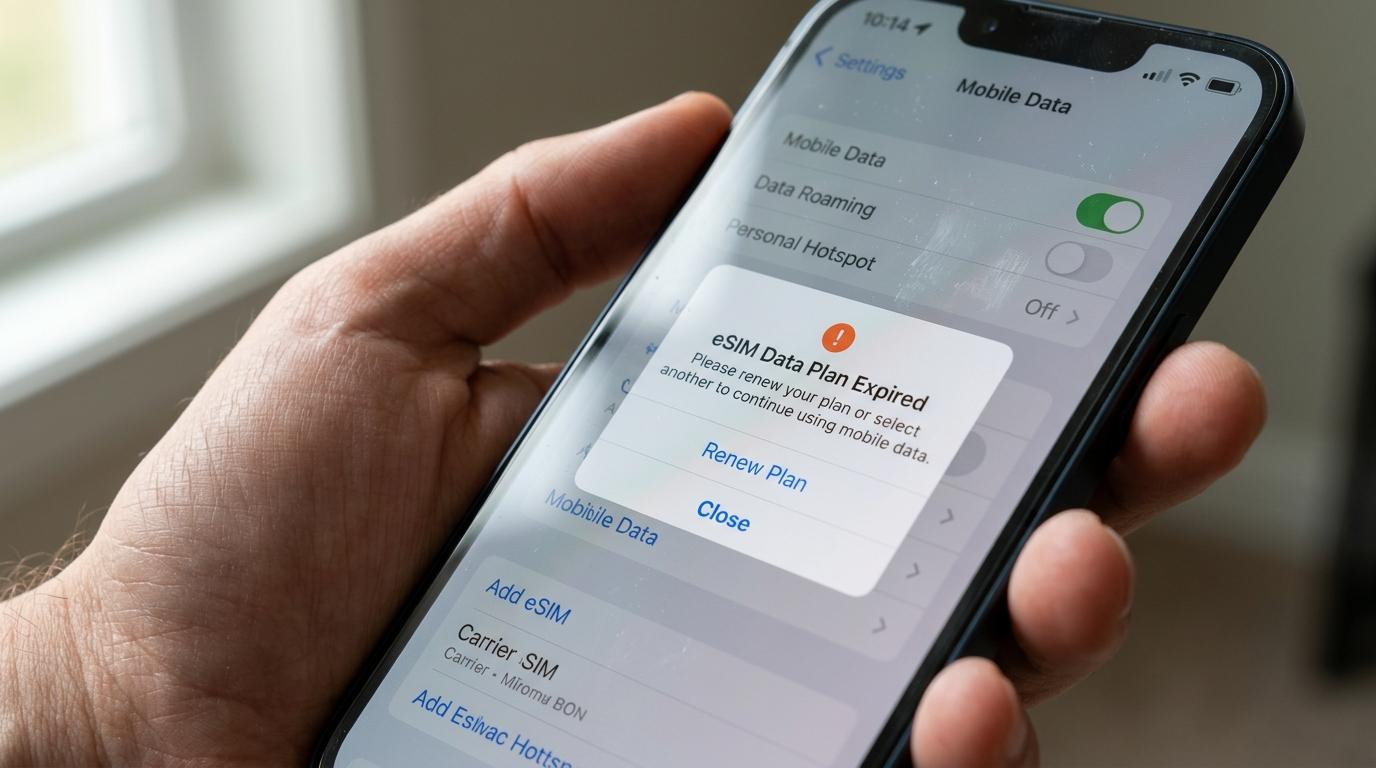
You bought an eSIM a few weeks before your flight, and now you're wondering whether it will still work when you land. Or maybe there's a leftover eSIM from last year's trip still sitting in your phone settings. So, do eSIMs expire? The eSIM profile itself is just a digital SIM stored on your phone, but the travel data plan attached to it almost always has an end date. Most travel eSIMs actually come with more than one deadline, and the one that catches people off guard usually isn't the one printed in big letters on the plan.
Below, you'll find what actually expires, when the clock starts running, and how to time your purchase so you don't lose days or data before your trip even begins.
Do eSIMs Expire? The Short Answer
Yes, but it helps to separate two things that people often lump together: the eSIM and the plan.
The eSIM is the digital SIM profile your phone downloads when you scan a QR code or tap an install link. Once it's on your device, it can sit there indefinitely. Your phone won't delete it on its own, and it will keep showing up under Cellular or Mobile Network settings until you remove it.
The plan is the data package attached to that profile, such as 5 GB for 7 days or unlimited data for 15 days. That's the part with an expiration date. When it runs out, the profile stays on your phone, but it no longer gives you mobile service.
This distinction matters in practice. An eSIM that's installed is not the same as an eSIM that's working. You can have a profile listed in your settings, switched on, and still get no signal because the plan behind it has ended or hasn't been activated yet.
The Three Limits That Decide eSIM Expiration
A travel eSIM usually stops working for one of three reasons. Knowing which one applies to your plan is the easiest way to avoid surprises.
The activation window
This is the time you have to start using the eSIM after you buy it. Many providers give you somewhere between 30 days and a year, while others set a fixed window such as 60 days. If you never activate the plan within that period, it can expire without a single megabyte used, and unused plans are often non-refundable.
Some providers handle this differently. Instead of letting an untouched plan lapse, they automatically activate it at the end of the window, which starts the validity countdown whether or not you've traveled yet. Either way, buying an eSIM months ahead of a trip carries some risk, so check the activation terms before you pay.
The validity period
This is the number of days your plan lasts once it's active. It's the figure you see in the plan name, like 7, 15, or 30 days. When that period ends, your service stops, even if you still have data left. On most travel plans, leftover data doesn't carry over.
The data allowance
On plans with a fixed amount of data, the plan effectively ends when you use it all, even if days remain on the validity period. Data on these plans is usually allotted for the whole period rather than per day, so you could burn through it in the first 48 hours if you stream video or use your phone as a hotspot.
Unlimited plans work differently. You won't run out, but many include a daily high-speed allowance, after which speeds drop until the next day. The fine print on speed limits varies widely between providers.
When Does Travel eSIM Validity Start?
This is where most wasted days come from. Installing an eSIM and activating it are two separate steps, and providers don't all start the clock at the same moment.
Installing means downloading the eSIM profile onto your phone. You can usually do this at home, on Wi-Fi, days before you leave. Activating means the plan goes live and the validity period begins counting down.
Most travel eSIMs use one of two activation policies:
-
Activation on first connection. The plan starts when your phone connects to a supported network in the destination. You can install the eSIM at home, and the clock won't start until you land and the eSIM picks up a local signal. This is the most common setup.
-
Activation on installation. The plan starts the moment the profile is installed, wherever you are. If you install a 7-day plan for Japan three days before your flight, you'll only get four usable days on arrival.
The activation policy is normally listed in the plan details, sometimes under a heading like activation policy or validity policy. If you can't find it, assume the stricter version and install shortly before departure, or right after you land if you'll have reliable airport Wi-Fi.
One more detail: an eSIM for a single country only works inside that country's coverage area. Installing it early won't let you use it at home, even if everything looks set up correctly. It simply won't connect until you arrive.
How Long Does an eSIM Last?
It depends entirely on the plan you choose. Short travel plans commonly run for 1, 3, 5, 7, 10, 15, or 30 days. Regional and global plans aimed at longer trips or frequent travelers can stretch to several months, and a few providers sell plans valid for up to a year. Plan lengths and the data that comes with them change often, so treat any specific number you see as a snapshot rather than a standard.
What many travelers overlook is how a day gets counted. Some providers count validity in 24-hour blocks from the moment the plan activates. Others count calendar days, often in a specific time zone. The difference can cost you most of a day:
-
With 24-hour counting, a 7-day plan that activates at 9 p.m. on a Monday ends at 9 p.m. the following Monday.
-
With calendar-day counting, that Monday evening may count as day one, so the plan could end at midnight on Sunday.
If you're landing late at night, this is worth checking. It may also make sense to choose a plan a day or two longer than your trip, so a delayed flight home doesn't leave you without data on the way to the airport.
The other side of the question of how long eSIMs last is how much you use. A 3 GB plan with 15 days of validity will last 15 days for someone checking maps and messages, but maybe five for someone uploading videos every evening.
What Happens When Your Travel eSIM Expires
When the plan ends, your mobile data on that line stops. Most travel eSIMs don't auto-renew, so you won't be charged again without choosing to buy more. You'll usually still see the eSIM listed in your phone settings, and it may still show a carrier name, but it won't carry data.
If you're still traveling, you have two options. Many providers let you buy a top-up that attaches to the same eSIM, so there's nothing new to install. Others require a brand-new eSIM. Top-ups generally add a new package rather than stretching the old one, and data left over from the expired plan typically doesn't roll into it. Some providers also only allow top-ups for a limited time after a plan ends, so don't count on reviving an old eSIM months later.
Watch your home SIM when the travel plan ends
This is the part that can get expensive. If you use dual SIM and your phone is allowed to switch data between lines automatically, it may quietly fall back to your home SIM once the travel eSIM stops working. With data roaming turned on, that can mean international roaming charges from your regular carrier. Before your trip, check that data roaming is off on your home line, or keep an eye on which line is handling data once your plan runs out.
Think twice before deleting the profile
Many travel eSIM QR codes can only be used once. If you delete the profile, you may not be able to reinstall it, which also means you can't add a top-up to it later. Wait until your trip is over, and you're sure you won't need another top-up, before removing it. After that, deleting an expired eSIM is harmless and keeps your settings tidy.
How eSIM Expiration Compares With Local SIMs and Roaming
Every way of getting data abroad has some kind of time limit. What differs is when it starts and how easy it is to extend.
|
Option |
When the clock usually starts |
What usually ends it |
Extending it |
|
Travel eSIM |
On first connection in the destination or on installation, depending on the plan |
Validity period ends or data runs out |
Top-up or new eSIM, bought online |
|
Local physical SIM |
At purchase or activation, often in the destination |
Prepaid validity ends or credit runs out |
Recharge through a local store, app, or website |
|
Home carrier roaming |
Depends on your carrier, often per day used or per billing cycle |
Pass or add-on period ends |
Through your carrier, under its roaming terms |
A local SIM can be cheaper on longer stays, but you typically buy it after landing, and some countries require ID registration first. Roaming keeps your usual number active for calls and texts, though costs vary a lot by carrier and plan. A travel eSIM's main advantage here is timing control: on most plans, you can set everything up before departure and let the plan start when you arrive.
Keep in mind that many travel eSIMs are data-only. They don't come with a local phone number for regular calls and texts, so your home SIM may still be the line people reach you on. Messaging and calling apps that run over data work as usual.
How to Avoid Losing Days or Data
Most eSIM expiration problems come down to timing. A few habits go a long way.
Buy within your activation window. If your trip is four months away, wait. Purchasing a week or two before departure gives you time to install and test the setup without getting close to any deadline.
Read the activation policy before you pay. You want to know whether the plan starts on installation or on first connection, and whether the provider counts 24-hour periods or calendar days. When you compare options for a travel eSIM, these details matter as much as the price and data amount.
Confirm your phone is ready. Your device needs to support eSIM and be carrier-unlocked to use another provider's plan. Compatibility can vary by exact model and the region it was sold in, so check your phone's settings or ask your carrier rather than assuming.
Install early only if the plan allows it. For plans that activate on first connection, installing at home on Wi-Fi is the smoothest option. For plans that activate on installation, wait until you're about to fly or have just landed.
Pick validity with a small buffer. A plan that covers your full trip plus a day handles delayed flights and late-night arrivals better than one that matches your dates exactly.
Track your usage. Most providers show remaining data and days in their app or account page. Checking every couple of days tells you whether you'll need a top-up before you're stuck without one.
Keep the profile until you're home. Don't delete the eSIM mid-trip to troubleshoot unless the provider's support team tells you to. Turning the line off and on again, or toggling airplane mode, usually solves connection hiccups without the risk of losing the profile.
Frequently Asked Questions
Does turning off my eSIM pause the validity period?
Usually not. Once a plan has activated, its validity keeps counting down whether the line is switched on, switched off, or your phone is in airplane mode. Turning off the eSIM stops it from using data, but it doesn't freeze the days. If you want to save a plan for later in a trip, the only reliable way is to not activate it until you need it, on plans that start on first connection.
Can I reuse the same travel eSIM on my next trip?
Sometimes. If your provider lets you add top-ups to an existing eSIM and the new trip falls within that eSIM's coverage area, you may be able to buy a new package and keep using the same profile. Many providers limit how long after expiry this is possible, and single-country eSIMs won't work in a different country. If the profile has been deleted, you'll almost always need a new eSIM.
Does the eSIM from my regular carrier expire?
Not in the same way. A home-carrier eSIM tied to a monthly plan stays active as long as your account is in good standing. Prepaid lines are different: if you stop paying or don't use the line for a long time, your carrier may suspend or cancel the number under its own rules. In both cases, it's the service that ends, not the eSIM technology on your phone.
Conclusion
The eSIM on your phone doesn't really expire, but the travel plan attached to it always does, and often in more ways than one. The deadline most people notice is the validity period. The ones that cause trouble are the activation window and the moment the clock actually starts.
If you take one thing from this guide, make it this: check the activation policy before you buy. Knowing whether your plan starts on installation or on arrival, and how long you have to use it, lets you buy early with confidence and land with every day you paid for still intact.
"I installed it at home the night before my flight, turned it on when we landed, and had maps working before we even reached baggage claim. All seven days were still there."


